How to Create a WBS: 5 Steps from the 100% Rule to 8/80
Build a WBS in five steps — start from the deliverable, decompose with the 100% Rule, size with 8/80, and de-duplicate with mutual exclusivity. Includes a 30-minute completeness checklist.
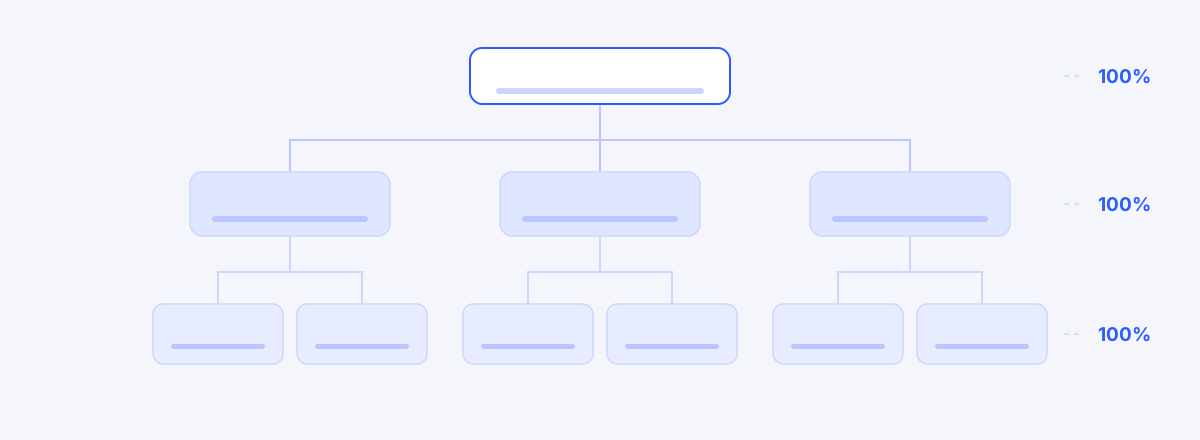
A WBS (Work Breakdown Structure) is a hierarchical decomposition of a project's final deliverable into pieces small enough to manage. It is not a schedule — it is a map of scope. It answers what, not when. A good WBS becomes the baseline for estimating, scheduling, assigning, and measuring progress. A bad one comes back three weeks into execution as the question, "wait — who was supposed to do this?"
This is the five-step procedure for building one from scratch. Each step carries a single decision rule from PMBok. All of it works on a whiteboard, with no tool at all.
First, what a WBS is not
Three distinctions make everything else easier.
- A WBS is not a schedule. There are no sequences, durations, or owners in it. Predecessors and dates belong to the next layer (activities and the Gantt chart). If you are writing "starts in January" into the tree, you are mixing two artifacts.
- A WBS is not an org chart. Split level one into "what dev does / what the business analysts do" and every task that straddles a team boundary disappears. The axis of decomposition is the deliverable.
- A WBS is not a to-do list. A flat list gives you no way to test for omissions. You need hierarchy to ask, "does this bundle add up to its parent?"
Step 1: Start from the final deliverable
The root of the tree is the thing that gets accepted when the project ends. Not "next-generation ERP program" but "a running ERP system, handed over to operations" — a noun whose completion someone can judge.
Then place three to seven children at level one. Two axes work well in practice.
- Lifecycle: plan → requirements & design → build → test → migrate & go live → stabilize
- Deliverable: accounting module / procurement module / HR module / shared platform / data migration
Mixing them across levels is fine (lifecycle on top, modules underneath). What matters is not mixing axes within a single level. If "design" and "accounting module" sit side by side at the same level, those two boxes overlap by construction.
Step 2: Decompose with the 100% Rule
The 100% Rule — a parent must equal exactly the sum of its children. Short of it, work is missing. Over it, work from outside the scope has crept in.
The practice is one question. At every parent box, say out loud: "if I add up the children, is that really me?" Take the test phase as an example:
Before the question: Integration test = write scenarios + run tests
After the question: Integration test = test plan + test environment build + test data preparation + write scenarios + run tests + defect fixes and re-verification + results report
Two boxes became seven — five surfaced. Test data preparation and defect re-verification in particular are invisible before kickoff and demand real effort once execution starts, which is exactly why they keep falling out of the tree. Why work like this keeps getting dropped is dissected — through a different case — in The Work You Missed Was Never "Unplanned".
One addition: 100% becomes self-checking when you manage it as weight. If sibling weights don't sum to 100, the tool can flag it where you stand. That is essentially impossible in a spreadsheet and trivial in anything that treats the tree as data.
Step 3: Size with the 8/80 Rule
The 8/80 Rule — a leaf work package should be no smaller than 8 hours and no larger than 80. Anything past 80 hours (two weeks) is a signal that decomposition isn't finished. A box that reads "data migration, five weeks" is not a plan; it's a question you have postponed answering.
Two backup questions for when the threshold feels arbitrary:
- Reportability: can you report this box's percent complete honestly, every week? If the only available answer is "about 60%," split it.
- Acceptability: who decides this box is done, and how? If you can't say, the deliverable is undefined.
Note the by-product. The moment you split a box, you are forced to name its deliverable and its acceptance criteria — and the lump that can't answer those questions is exactly where missing work hides.
Step 4: De-duplicate with mutual exclusivity
Mutually exclusive — no piece of work may belong to two boxes. Overlap produces "I thought they were handling it," and that failure usually surfaces during integration.
The overlaps land in predictable places:
- "API development" and "integration development" — the external adapter straddles both
- "Testing" and each module's "unit tests" — the integration test scope goes fuzzy
- "Shared platform" and each module — nobody owns the shared components
The fix is to write the boundary down explicitly. Add one line next to the ambiguous box: "includes: … / excludes: …" That single line resolves most of it, and it becomes the seed of your WBS Dictionary in the next step.
Step 5: Lock it down with WBS codes and a Dictionary
Once the tree stands, two artifacts fix it in place.
WBS codes (1.2.3) are display numbers for reading the hierarchy. They let someone in a meeting ask "do you mean 1.4.2?" — but they are not the identity of the work. Move a box and the code changes. Wire dependencies or references to codes and they break later.
The WBS Dictionary is the definition sheet for each work package. Four fields are enough:
- Definition — what the work is
- Deliverable — what is left behind
- Acceptance criteria — who accepts it, and how
- Exclusions — what this work does not cover
If there is a box you don't want to write a Dictionary entry for, that box isn't defined yet. Treat the Dictionary as a diagnostic, not paperwork.
Four common failures
| Failure | Symptom | Correction |
|---|---|---|
| Decomposed by org chart | Work that straddles teams is absent from the tree | Rebuild level one on a deliverable or lifecycle axis |
| Uneven decomposition depth | One branch goes four levels; another is a single "development" box | Find every box over 80 hours and split it |
| Verb-only boxes | "Performance improvement" — nothing tells you what remains | Attach a deliverable noun ("tuning report + response-time target met") |
| Schedule mixed in | Start dates and owners live inside the tree | Move dates and sequence into activities and the Gantt |
The first two cost you at planning time; the last two bill you two or three weeks into execution. The final row in particular is inevitable when the WBS and the Gantt live in separate files, which is the subject of A Plan Made in Excel Starts Dying the Day It's Born.
A 30-minute completeness checklist
With the tree drawn, run this list half an hour before the review meeting.
- Is the root the name of an acceptable deliverable?
- Is any single level free of mixed decomposition axes?
- Does "children sum to me" hold at every parent? (weights total 100)
- Is there no leaf box over 80 hours?
- Are boxes under 8 hours adding management overhead without value?
- Is there no work straddling two boxes? (watch shared platform, integrations, testing)
- Does every leaf carry a deliverable noun and acceptance criteria?
- Is the work that comes at the end — acceptance, inspection, training, migration — actually in the tree?
- Have dates and owners stayed out of the tree?
The eighth item fails most often in practice, because the work of a project's final two weeks is the hardest thing to imagine at the beginning.
Where to go next
Once the WBS stands, sequence and dates come next — wiring dependencies and computing the critical path.
One of the things we actually tested while building this tool was handing an LLM a document and letting it draft an entire WBS. The record of making it draft, refine, schedule, and document a six-month ERP build is in We Let Claude Build an Entire SI Project's WBS. The conclusion up front: recall is what machines are good at; commitment is what people have to do. Of the five steps above, a machine can draft steps 1 through 3. The boundary decisions in steps 4 and 5 are still the PM's call.
wbsgantt exists to walk you through these five steps on screen. Sibling weights that don't reach 100 raise a flag where you stand, codes renumber themselves whenever a box moves, and the Dictionary hangs off each node — so there is no second document to maintain.
Frequently asked questions
- How many levels should a WBS have?
- There's no fixed answer; the 8/80 Rule is the test. When leaf work packages land between 8 and 80 hours, you're deep enough. Small projects settle at three levels; a six-month systems-integration build usually stops at four or five. When you can't decide, ask whether you can report that box's progress honestly every week. If the answer is vague, go one level deeper.
- How is a WBS different from a Gantt schedule?
- The WBS is a map of scope — what gets built. The Gantt is a map of time — when it happens. A WBS carries no sequence, duration, or owner. Attach those to a leaf work package and you get an activity; lay activities on a time axis and you get a Gantt chart. Mix them into one document and you lose the ability to tell a scope change from a schedule change.
- Do agile projects need a WBS?
- If you have contractual or reporting obligations, yes. A WBS decomposes what you are building; sprints set the rhythm of how you execute. They don't compete. The common hybrid is to fix only the top two or three levels — deliverable level — as a WBS and run everything below it through a backlog and sprints.
- How do I assign weights in a WBS?
- Default to share of effort; use share of cost when cost is the axis of your plan. The point is that siblings sum to 100 — and it matters far more that the sum is checked automatically than that the decimals are precise. When weights drift, progress and SPI distort together.
- Can I just build it in Excel?
- For the first draft, a spreadsheet is the fastest thing there is. The trouble starts after that: validating the 100% Rule, renumbering codes, reflecting dependencies, and rolling up progress all become manual, and your WBS sheet and Gantt sheet begin to disagree. Past about a hundred nodes, no one can hold the validation in their head.
Read next
 The Work You Missed Was Never "Unplanned""Who was supposed to do this?" three weeks in — catching missed work at planning time with the WBS 100% Rule, 8/80 Rule, and mutual exclusivity.02
 We Let Claude Build an Entire SI Project's WBSConnected over MCP, Claude drafted, refined, scheduled, and defined the WBS for a 6-month manufacturing ERP build — recall by machine, commitment by human.03
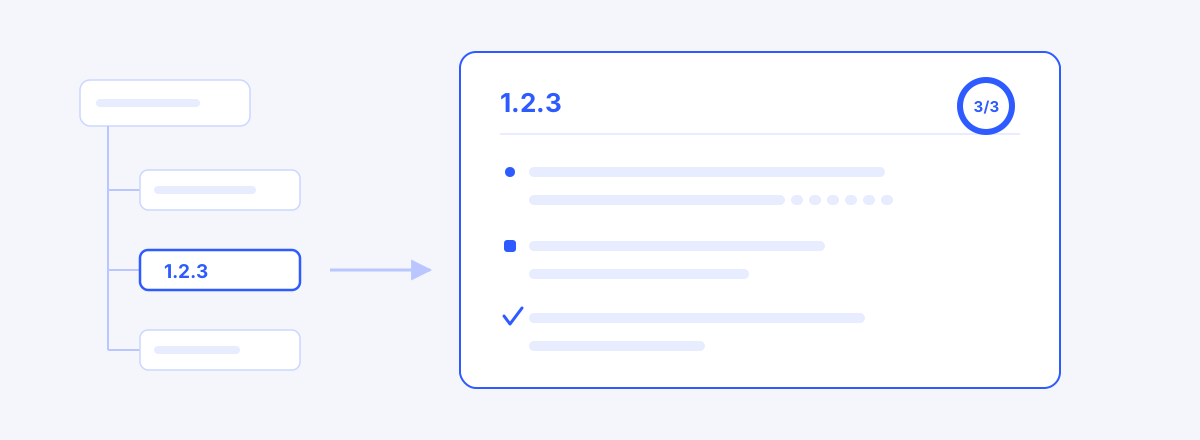 How to Write a WBS Dictionary: Definition, Deliverables, Acceptance CriteriaThe WBS tree lists the work; the dictionary is each box's contract — how to write definition, deliverables and acceptance criteria, with bad and good examples, and where to start.04
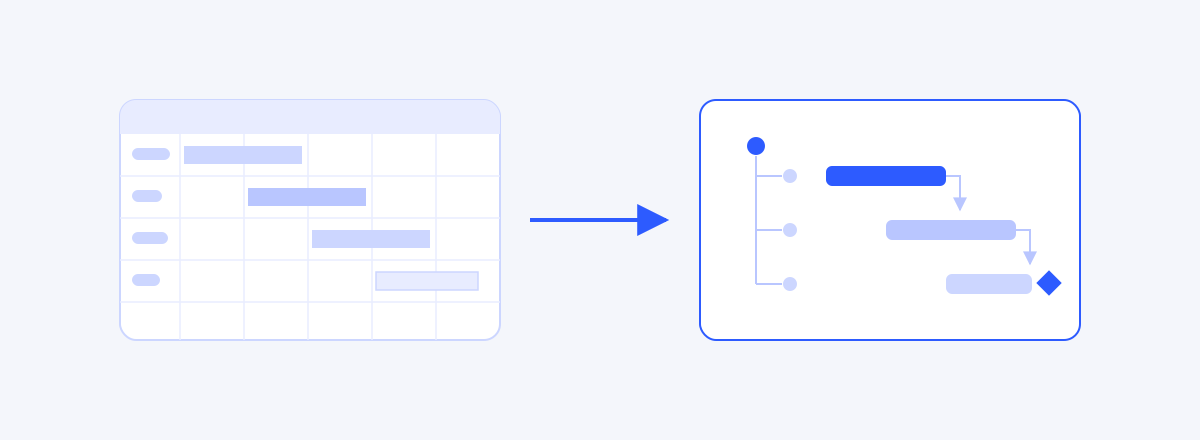 WBS and Schedules in Excel: Where They Work, Where They BreakExcel is a reasonable place to start a WBS and schedule — the question is when to stop. The three points where a table and a schedule model part ways, when Excel is still the right call, and the signals that it is time to move.05
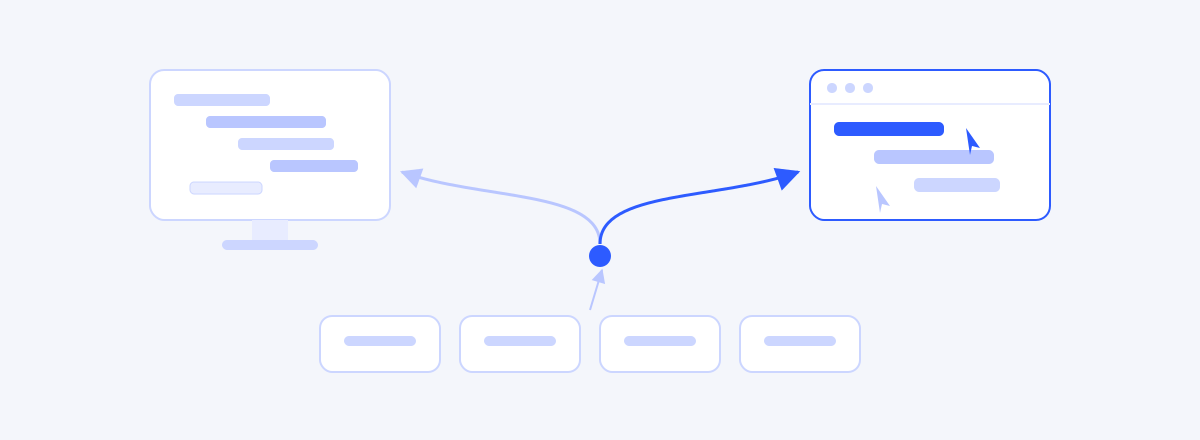 Choosing a Microsoft Project Alternative: What Actually MattersMicrosoft Project is the deepest scheduling engine around — people look for alternatives not because it is bad, but because it does not fit. Four criteria for choosing: WBS, baselines, honest schedule computation, and whether your team will use it.