We Let Claude Build an Entire SI Project's WBS
Connected over MCP, Claude drafted, refined, scheduled, and defined the WBS for a 6-month manufacturing ERP build — recall by machine, commitment by human.

Faced with a blank WBS, the thing a PM does most is not typing — it's recalling. "What was in the last project like this?" What happens if a machine does that recall for you? We turned the question into an experiment: we connected Claude to wbsgantt over MCP, handed it a six-month SI project, and asked it to build the whole WBS while we recorded exactly what happened.
Up front: this is an experiment report, not an advertisement. We'll write down what Claude did poorly as plainly as what it did well, and every place a human had to step in.
The setup
The project. An 800-employee manufacturing company migrates its aging groupware and department-by-department spreadsheets into an integrated ERP (accounting, HR, production, procurement). Fifteen years of legacy data, a go-live before the fiscal year starts, six months. Familiar territory for any SI or engineering PM.
The rule was singular: Claude creates the WBS through tools; the human judges. Claude may only use wbsgantt's MCP tools — import_wbs_project, create_wbs_node, add_wbs_dependency, set_wbs_dictionary, and the rest. You give it a prompt; it calls the real tools and builds a real project. The nodes on screen and the schedule it computes are all real.
Round 1 — the draft: 40 nodes in one call
The first prompt was short. We gave the RFP summary above and said, essentially, "Build a PMBOK-conformant WBS and import it as a new project. Respect the 100% Rule and the 8/80 Rule."
Claude called import_wbs_project once and produced 40 nodes and 14 dependencies. The tree split into eleven phases — project management, requirements, system design, four module builds (accounting, HR, production, procurement), data migration, integration test, user training, and go-live & stabilization — capped with a "System go-live" milestone.
The first striking thing was the quality of recall. The branches junior PMs most often miss — legacy data migration, per-module unit tests, user training, post-go-live stabilization — were there from the start. The blank-page fear that Part 1 traced so much missed work to was largely swept away by the machine.
But the second thing surfaced quickly. Claude's schedule had a six-month project finishing in two months. The cause was clear: it had declared dependencies only between phases, so the activities within a phase all started on the same day. "Analyze current operations," "write the requirements spec," and "review and finalize requirements" all begin on August 10. Real requirements work does not flow that way.
And where domain knowledge was needed, there were two holes. There was no permission/security design. In an ERP used by 800 people, role and permission design is its own deliverable — and it was missing entirely. There was no parallel run. Running legacy and new side by side for a period before cutting over is the heart of a migration like this, yet go-live flowed straight into stabilization.
One more. By the 8/80 Rule (a work package should be roughly 8–80 hours), "production feature development" at 25 days (~200 hours) blew well past the ceiling. Interestingly, import let it through without warning. What wbsgantt enforces at creation time are structural invariants — cycle prevention, and weights summing to 100% at every parent (the 100% Rule) — not matters of judgment like whether a task is the right size. That boundary comes back later.
Round 2 — refinement: where the human steps in
Now the PM's turn. I flagged things in conversation; Claude fixed them with tools. Five calls went by.
- Add the missing permission/security design under system design (
create_wbs_node). The server auto-assigned code1.3.5. - Add parallel run under go-live & stabilization. Code
1.11.3. - Split the 8/80-busting 25-day production feature dev into three — "BOM & standard cost" (10d), "work orders & actuals" (10d), "inventory & movement" (8d).
updateshrank the original,createadded two.
An observation during refinement: every time a node was added, wbsgantt re-derived the code (like 1.3.5) and re-distributed the weights automatically. The principle that a WBS code is a display cache while UUID is the node's identity, and the rule that sibling weights auto-balance, both held. The PM decides only what to add; the numbering and the shares are the system's job.
Node count went from 40 to 44.
Round 3 — the schedule: I stated causes, and a schedule appeared
Time to fix the "two-month compression" from Round 1. I did not draft a schedule. Instead I stated only causality — three dependencies via add_wbs_dependency.
- Analyze current operations → write requirements spec (FS)
- Write requirements spec → review and finalize requirements (FS)
- Migration execution & validation → integration test execution (FS)
The first two set the order within the requirements phase; the last one reconnected a link Round 1 had left dangling — migrated data must flow into the integration test.
The effect was immediate. CPM recomputed and the project end date moved from October 2 to November 2 — a full month — on three dependencies alone. The requirements phase now staircases: Aug 10–21 → Aug 24 – Sep 4 → Sep 7–9 (previously all three started on Aug 10).
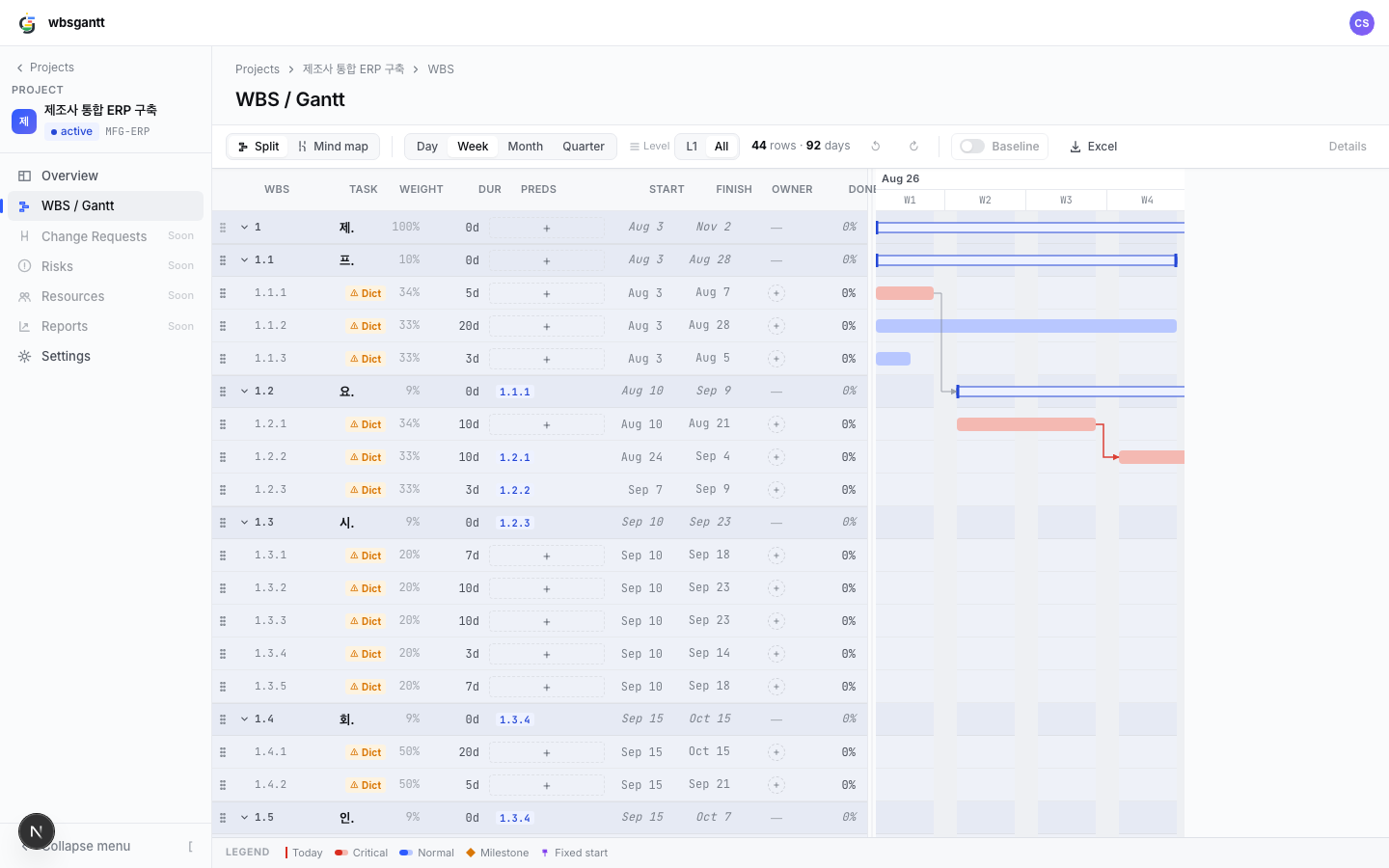
The critical path shows in red on the Gantt. One interesting detail — that critical-path computation happens in the frontend, and the MCP tool response (get_wbs_tree) carries no critical flag. So Claude stated dependencies without itself knowing "is this task critical?"; the conclusion called critical path was computed by the system wrapping the tools. That division of labor is this whole experiment in miniature.
Round 4 — the Dictionary: draft by machine, signature by human
Finally I had it fill in the WBS Dictionary for a couple of work packages. On "migration execution & validation," set_wbs_dictionary wrote a definition, deliverables (execution log, reconciliation report, rollback procedure), acceptance criteria ("100% match on record count against source, zero variance on the accounting balance total"), assumptions, and constraints ("complete within the 48-hour weekend batch window").
Here the line drawn in Part 6 reappears exactly. Drafting a Dictionary entry is recall, and the machine is good at it. But signing off on "100% match on record count" as the contractual acceptance bar is the human's job. A draft only pulls the starting point of judgment closer; it does not replace the judgment.
The verdict — what it did well, poorly, and what only the human did
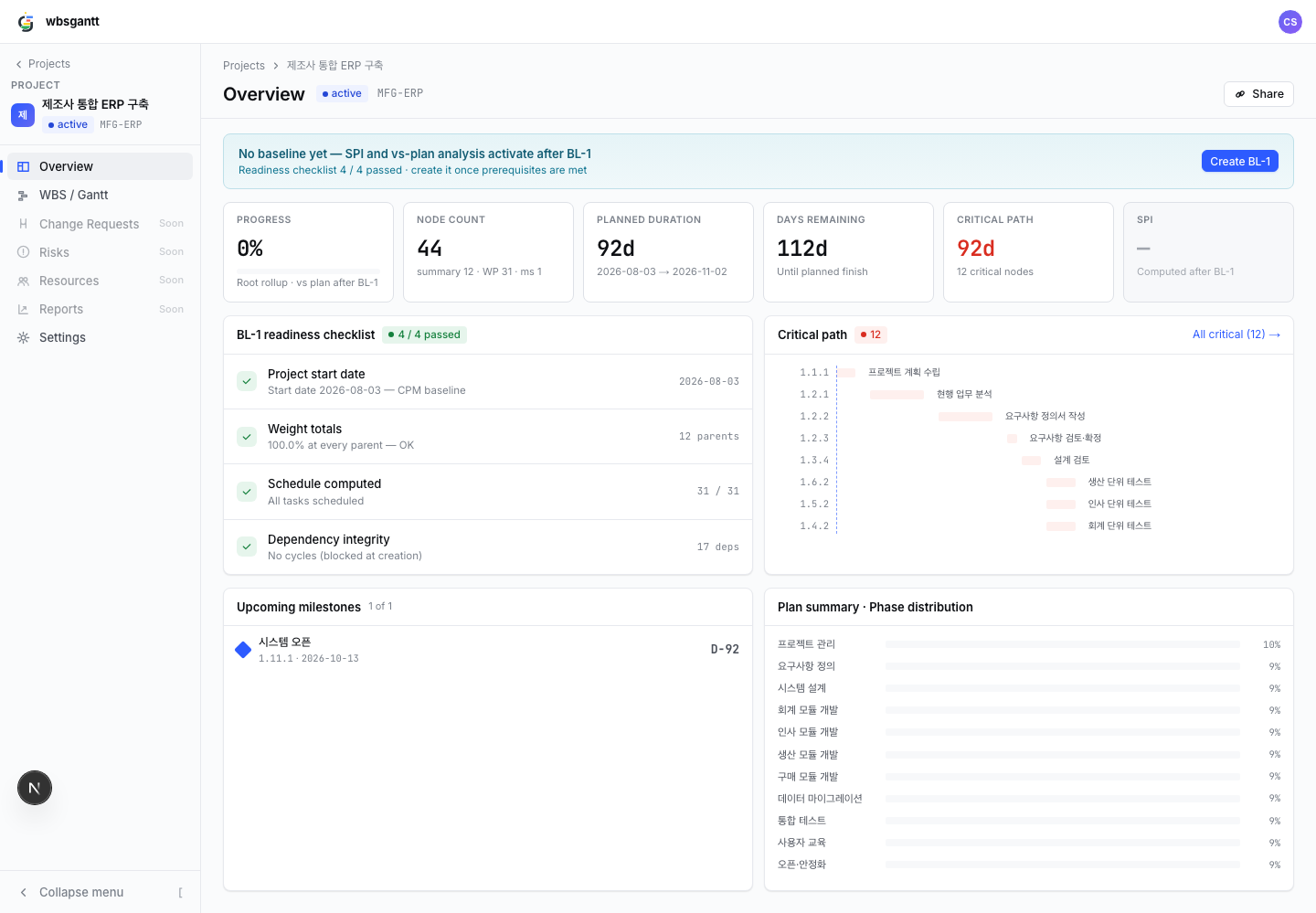
The finished project settled at 44 nodes (12 summary, 31 work packages, 1 milestone), a 92-day plan (Aug 3 – Nov 2), a 12-node critical path, 17 dependencies, and weights summing to 100% at every parent. Now the honest scorecard.
| Detail | |
|---|---|
| What Claude did well (recall) | The phase skeleton and project lifecycle, module decomposition, placement of unit/integration tests, training, and stabilization. It kept us off the blank page. |
| What Claude did poorly | Branches this domain and scale require (permission/security design, parallel run) were missing. An 8/80 violation. Unrealistic schedule from absent intra-phase ordering. |
| What only the human did (commitment) | The boundaries of contracted scope, the realism of effort and schedule, 8/80 appropriateness, the real causality between tasks — and signing acceptance criteria as the pass/fail bar. |
The boundary came out sharp. What wbsgantt mechanically enforces are structural invariants — cycles are blocked at creation, weights are held to 100% at every parent. What it does not enforce are 8/80 appropriateness, the real causality of dependencies, and the contractual boundary of scope. Those are judgment, and judgment stays with whoever signs.
There's a quantitative residue too. The time it takes to stand up a 40-node draft by hand from a blank page was erased by a single tool call. What the human spent time on was not building the draft but validating it and filling the domain holes. This is the tangible form of Part 6's "turn deliverable-manufacturing time back into judgment time."
Try it yourself
If you want to run the same thing, here's the order.
- Issue an API token in wbsgantt — from the "API tokens" section of your account screen (scopes: WBS read/write). The token is shown once at creation, so copy it.
- Register the connector in your LLM client
- claude.ai / Claude Desktop: add a connector → URL
https://api.wbsgantt.com/mcp/+ your token. - Claude Code:
claude mcp add --transport http wbsgantt https://api.wbsgantt.com/mcp/ --header "Authorization: Bearer <token>" - ChatGPT: a custom connector with the same URL and token.
- claude.ai / Claude Desktop: add a connector → URL
- Prompt template — give the project context and the rules, then start:
"Here is [project nature, duration, constraints]. Build a PMBOK-conformant WBS and import it into wbsgantt as a new project. Start date is [YYYY-MM-DD]. Respect the 100% Rule and the 8/80 Rule, and pay special attention to [what this domain commonly omits]. After you draft it, I'll review — so flag any places you suspect are missing work or 8/80 violations yourself."
That last sentence matters. Hand the draft to the machine, hand even the starting point of review to the machine — but keep the judgment that becomes a commitment. When that division of labor holds, the tool doesn't replace the PM; it frees the PM from the blank page.
Read next
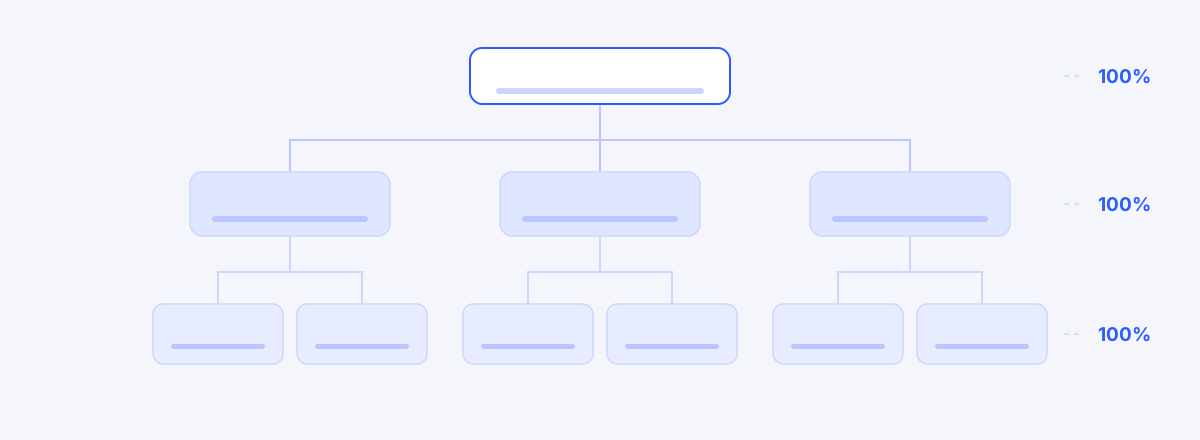 How to Create a WBS: 5 Steps from the 100% Rule to 8/80Build a WBS in five steps — start from the deliverable, decompose with the 100% Rule, size with 8/80, and de-duplicate with mutual exclusivity. Includes a 30-minute completeness checklist.02
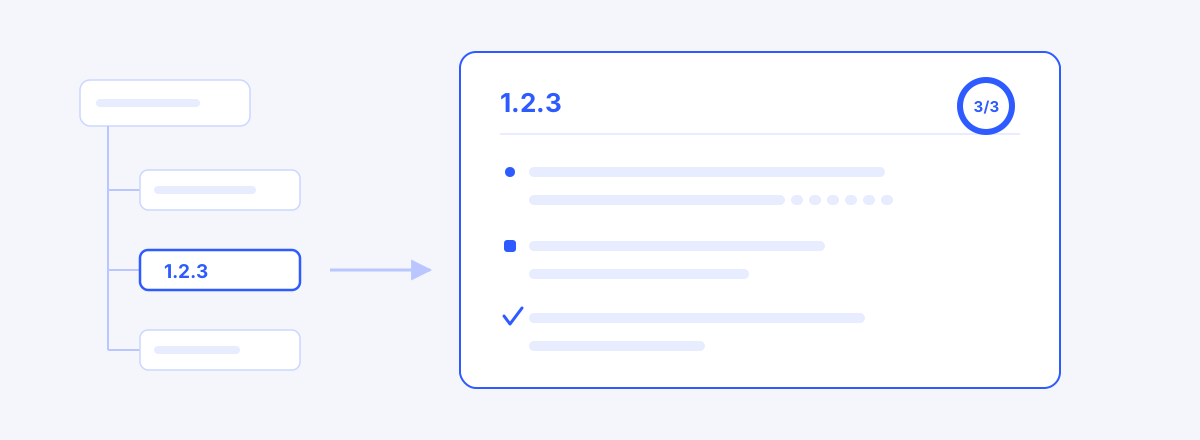 How to Write a WBS Dictionary: Definition, Deliverables, Acceptance CriteriaThe WBS tree lists the work; the dictionary is each box's contract — how to write definition, deliverables and acceptance criteria, with bad and good examples, and where to start.03
 Why a WBS Is Hard to Keep in Jira — and How to Pair the TwoJira is the standard for execution, but a WBS demands a different kind of structure — three mismatches around the 100% Rule, schedule computation, and reporting language, and a coexistence strategy that keeps planning in the WBS and execution in Jira.