A Plan Made in Excel Starts Dying the Day It's Born
WBS in one file, Gantt in another — two weeks later they disagree. Why plan artifacts and execution data belong in a single model.

The night before kickoff, the PM feels proud. The Excel WBS is cleanly decomposed four levels deep, and the Gantt chart traced from it — color-coded and all — is a work of art. The executive briefing went well.
Two weeks later: development slips three days, two tasks get split, one owner changes. The PM updates the Excel WBS. The Gantt needs updating too, but fires come first, so it waits. Two more weeks, and a team member asks: "This task is in the WBS but not on the Gantt. Which one is right?" The PM answers: "Uh... the one in my head."
The problem in this scene is not the PM's diligence. It is the structure of writing the same information in two places.
Two documents, two truths
A WBS and a Gantt chart look like separate deliverables, but they are two representations of the same data. The WBS is the hierarchy of what gets done; the Gantt is the same tasks laid out in time. When your tools force you to maintain them as separate files, every change must be applied twice.
Applying changes twice always fails — not from laziness, but from probability. Say a six-month project sees 200 changes. Even if you update both documents immediately and correctly 99% of the time, the odds that they still agree after 200 changes is about 13%. In the other 87% of worlds, the PM becomes the person who reconciles documents from memory in every meeting.
That's why an Excel plan starts dying the day it's born. More precisely, it starts decaying at the first change. And there is no day on a project without a change.
Manage a model, not documents
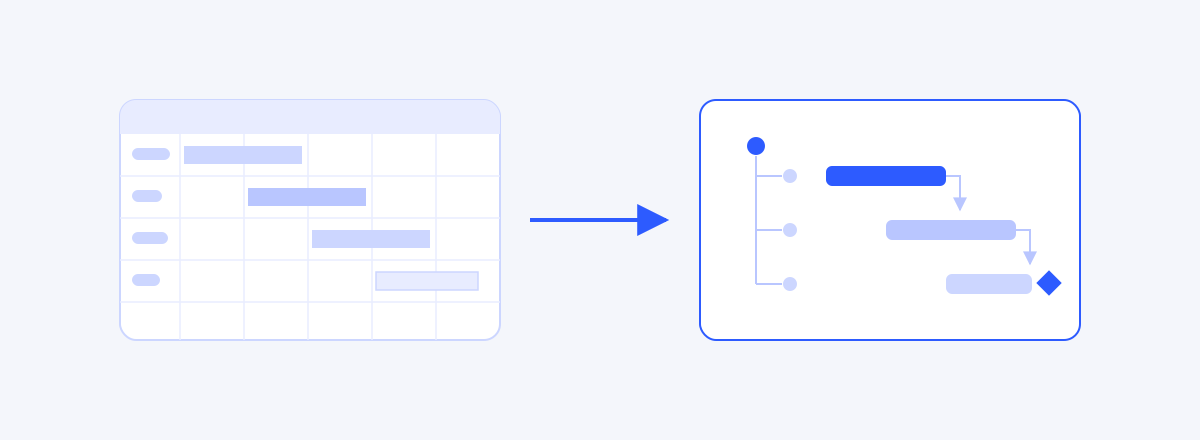
The direction of the fix is clear: make the WBS and the Gantt not two documents, but two views of a single dataset.
Software design has an old principle for this: Single Source of Truth. Just as an accounting system produces both financial statements and tax reports from one ledger, a project should produce its WBS view and Gantt view from one ledger of work. Split a task in the tree and the Gantt updates instantly; stretch a duration on the Gantt and the tree's roll-ups refresh. In this structure, the question "which one is right?" cannot even be asked.
When we dug into this problem while building a PM tool, we reached the same conclusion: unless WBS, schedule, and progress live on the same graph, no amount of diligence can win against inconsistency. It is a structural problem, not an effort problem.
What should be a view, not a file
Declaring a Single Source of Truth isn't enough — you have to divide source from derivative at the field level for it to work in practice.
| Data | Nature | Where it should live |
|---|---|---|
| Task names & hierarchy | Source | The ledger (WBS), one place |
| Durations, start/end dates | Source | The ledger, one place |
| Dependencies | Source | The ledger, one place |
| Owners | Source | The ledger, one place |
| Progress | Source | The ledger, one place |
| Gantt chart | View | Generated from the ledger (never edited directly) |
| Weekly report / exec summary | View | Generated from the ledger |
| Client-facing Excel | View | Exported from the ledger |
Then pin down what must move when something changes:
| Change | What must update |
|---|---|
| Duration change | Successor dates, milestone dates, critical path |
| Task split / addition | Parent roll-ups (100% Rule), Gantt, assignments |
| Owner change | RACI, resource load, notification list |
| Progress update | Parent roll-ups, progress report, EV (if using EVM) |
If a human is performing the right-hand column by hand, that is exactly where your hours leak every week.
Minimum rules if you must stay in Excel
For organizations that can't switch tools right now:
- Designate one master file. Put
[MASTER]in the filename; declare every other document derived - Ban direct edits to derivatives. Find an error in the Gantt or a report? Fix the master and regenerate
- Fix a snapshot cadence. E.g., every Friday afternoon, regenerate Gantt and reports from the master. Between snapshots, derivatives are presumed stale
- Mandate a change log. A separate sheet in the master recording date, change, reason, requester — the minimum viable version of the baseline we'll cover in Part 3
The real cost of a dead plan
The real cost of a dead plan
The cost of an inconsistent plan is not the hours spent fixing it. It is the collapse of trust. The moment the team learns that "the plan is always out of date anyway," the plan becomes decoration that no one consults. From then on, the project runs on rumor, not on documents.
A plan is not something you make beautiful. It is something you keep alive. And to stay alive, it needs a single heart.
The PM's action block
Three things to do tomorrow
- List every plan-related document that currently exists and designate one as the source
- Add a header to each remaining document: "Derived from the master as of MM/DD"
- Post the change-sync table above on the team wiki and ratify it at the next weekly
Questions to ask in the next meeting
- "Which file is the source of this number?"
- "Of last week's changes, which haven't reached the Gantt yet?"
- "This report — from which snapshot of the master was it generated?"
Good signs / bad signs
| Good signs | Bad signs |
|---|---|
| Nobody asks "which one is right?" anymore | Every meeting starts by reconciling numbers across files |
| Nobody edits derivatives directly | Tasks exist only on the Gantt, or only in the WBS |
| The change log grows weekly | The latest file is found in someone's inbox |
What a tool should solve
The limit of the minimum rules is obvious: they hold only as long as people hold them. Designing wbsgantt, we removed the rules altogether by making WBS, Gantt, and progress views of the same graph — split a node in the tree and the Gantt changes instantly; drag a bar and the tree's roll-ups refresh. We believe the right structure is one where "synchronization" doesn't exist as a job.
Read next
 Gantt Dependencies Explained: FS, SS, FF, SF and Lead/LagWhat FS, SS, FF, and SF each promise, and where lead and lag belong — get them wrong and your critical path lies to you.02
 How to Make a Gantt Chart: From WBS to a Working ScheduleA Gantt chart is computed, not drawn — five steps from WBS through durations, dependencies, CPM and a baseline, plus where Excel Gantt charts fall apart.03
 Scheduling in Working Days, Not Calendar DaysA five-day task isn't due five days from now — calendar vs working days, three traps in Korean public holidays, per-project calendars, and a deadline computation you can verify by hand.04
 How to Share a Gantt Chart: From Screenshots to Read-Only LinksMost schedule-sharing failures come from sharing all-or-nothing — roles (owner, pm, member, viewer) for people who edit, one read-only link for people who watch, and a table for choosing between them.05
 WBS and Schedules in Excel: Where They Work, Where They BreakExcel is a reasonable place to start a WBS and schedule — the question is when to stop. The three points where a table and a schedule model part ways, when Excel is still the right call, and the signals that it is time to move.