Scheduling in Working Days, Not Calendar Days
A five-day task isn't due five days from now — calendar vs working days, three traps in Korean public holidays, per-project calendars, and a deadline computation you can verify by hand.
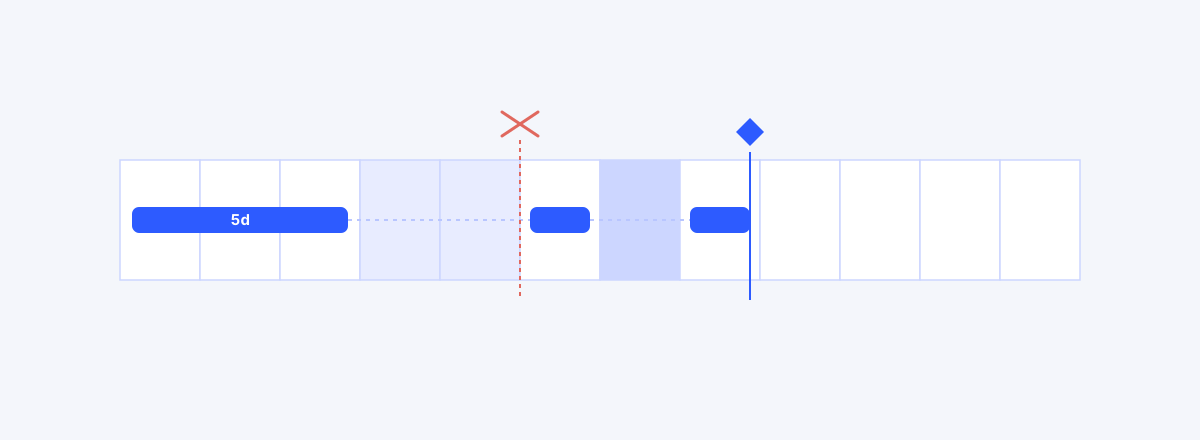
A five-day task is not due five days from now — it is due on the fifth working day, skipping weekends and holidays. A schedule computed in calendar days starts diverging from reality the day it is made. This guide starts from why calendar days and working days are different kinds of time, walks through the traps Korean public holidays set for a schedule, the ways calendars differ project by project, and a worked example you can verify by hand. It closes with two field hazards: why delays amplify when they meet a long holiday, and which kind of "7 days" a lag actually is.
The Same "5 Days," Two Different Deadlines
Take a five-day task that starts on Thursday. Counted in calendar days — Thursday, Friday, Saturday, Sunday, Monday — it is due next Monday. Counted in working days, it spends Thursday and Friday, skips the weekend, and runs Monday through Wednesday — due Wednesday. The same "five days" points at two dates, two days apart.
Two days on one task becomes weeks on a project of dozens of chained tasks. And the error always points the same way: calendar counting always promises earlier than reality. You are manufacturing an unmeetable deadline at planning time.
The Third Input of Schedule Computation: the Calendar
Everyone enters durations, and everyone enters dependencies. But schedule computation has a third input — the calendar: the definition of which days are working days. The same durations and the same dependencies produce different dates on different calendars. Ten working days on a five-day-week calendar and ten working days on a six-day-week calendar occupy different lengths of actual calendar.
Calling the calendar an input also means there is one more place to check when dates look wrong. If durations and dependencies are both right and the deadline still looks off, the calendar is the next suspect. How the whole schedule gets computed from durations and dependencies is covered in How to Make a Gantt Chart; this guide is about the calendar underneath that computation.
Three Traps in Korean Public Holidays
First, substitute holidays. When a public holiday lands on a Sunday or on another holiday, the next weekday becomes a day off. The rule is fixed, but the outcome changes every year — the same month of May has a different working-day count this year and next. This is why copying last year's plan and shifting the dates is dangerous.
Second, one-off declared holidays. They arrive without notice. A holiday that did not exist at planning time appears mid-execution, and every task that week slides a day.
Third, the holiday clusters — Lunar New Year and Chuseok run three days by default, routinely exceed five when they merge with a weekend, and with bridge leave on either side a team's real capacity stops for a week or more. Loading the year's holiday layout into the calendar at the start of the year is the cheapest, surest piece of schedule planning there is.
Every Project Has Its Own Calendar
It would be convenient if one company calendar computed every project, but real calendars split per project. Construction sites run six-day weeks. Some organizations alternate weeks off; some projects have a client's founding anniversary or company-wide shutdown sitting in the middle of an acceptance window. With an overseas partner, their national holidays — days that don't exist on your calendar — set the pace of their tasks.
So the calendar is a property of the project, not of the company. Define once, at project start, "which days does this project work," and every date computation after that runs on top of it.
A Worked Example — the Real Deadline of a Ten-Day Task
Take a month where the 1st is a Monday. Weekends are Saturday and Sunday; the 5th (Friday) and the 15th (Monday) are public holidays. A task starts on the 4th (Thursday) with a duration of ten working days.
| Working day # | 1 | 2 | 3 | 4 | 5 | 6 | 7 | 8 | 9 | 10 |
|---|---|---|---|---|---|---|---|---|---|---|
| Date | 4th (Thu) | 8th (Mon) | 9th (Tue) | 10th (Wed) | 11th (Thu) | 12th (Fri) | 16th (Tue) | 17th (Wed) | 18th (Thu) | 19th (Fri) |
The 5th is a holiday and the 6th–7th a weekend, so the first week contributes only two working days. After the 13th–14th weekend, the 15th (Monday) is a holiday, so the third week starts on Tuesday. The deadline is the 19th (Friday).
Counted as "ten calendar days," the deadline would be the 13th — ten days from the 4th inclusive. That is six days early, and it is also a Saturday. The Saturday is itself the tell: on a schedule computed in working days, a deadline can never land on a day off.
Delays Amplify When They Meet a Long Holiday
Holidays visible at planning time are already priced into the schedule. The trouble is a mid-execution delay that pushes a task onto a holiday cluster.
Say a task due Thursday slips by two working days, and Friday is a public holiday — a three-day break with the weekend. The two slipped days become Monday and Tuesday: the new deadline is Tuesday, five calendar days late. A two-day slip met a holiday and became five. If the task sits on the critical path, the whole project moves by the same amount. How a slip rides the dependency lines through the downstream tasks is traced with real data in If One Task Slips Three Days — add a holiday cluster on top, and the calendar damage always exceeds the working-day arithmetic.
That is why tasks whose deadlines sit just before a long holiday deserve a spot on the risk list: they are positioned to lose four calendar days from a one-day slip.
Lead, Lag, and the Calendar Trap
The lag attached to a dependency — "start 7 days after the predecessor finishes" — is 7 days of what, exactly? It differs by tool and by contract. And this time, working days are not always the right answer.
Waiting that requires humans to be at work — review queues, approval cycles — flows in working days. Waiting that is physics — concrete curing, paint drying — flows on weekends too, so it belongs in calendar days. Payment terms of "30 days" are, by convention, calendar days as well. A lag whose axis was never stated is a standing cause of week-sized surprises. What lead and lag are in the first place is covered in Gantt Dependencies Explained.
Running It in a Tool
wbsgantt's calendar starts from a global calendar with Korean public holidays built in. Each project can change its working weekdays (turn Saturday on for a six-day site), and exception days edit in both directions — add a day off, or mark a normally-off day as working. CPM computes on this calendar along the working-day axis, so durations and lag are both in working days, and adding a holiday automatically recomputes the dates of every affected task. There are no per-resource calendars, so on a project mixing teams with different calendars, the realistic practice is to anchor on the bottleneck team's calendar and add buffer around the other team's holiday weeks.
What to Read Next
This guide closes the fourth piece of the scheduling series. Dividing the work exhaustively is the WBS guide; wiring the pieces in order is the dependency guide; computing the schedule on top of them is the Gantt guide; and the calendar underneath that computation is this one. Drop any one of the four and the schedule starts lying somewhere — and the calendar is the piece most often forgotten.
Frequently asked questions
- Are business days, working days, and weekdays the same thing?
- No. Weekdays name the days Monday through Friday; business days are when banks and government offices operate; working days are the days this project has decided to work. Saturday on a six-day site is not a weekday but is a working day; a one-off declared holiday is a weekday but not a working day. Schedule computation always runs on the project's working days.
- A one-off holiday just got declared. What happens to the schedule?
- Add the holiday to the calendar and recompute — affected tasks slide by a day. The hard case is a fixed contractual deadline: check first whether there is float to absorb the day, and if not, the conversation is about scope or staffing. Covering a declared holiday with "we'll just work that day" is a decision made outside the schedule — either way, record the truth in the calendar.
- How do I schedule a six-day-week project?
- Turn Saturday on in the working-weekday settings. The same ten working days then finish about two calendar days earlier than on a five-day calendar. If a tool only supports five-day weeks, resist the workaround of shrinking durations by calendar conversion — it distorts progress and delay judgments together.
- Working with an overseas team, whose holidays apply?
- In principle, the calendar of whoever performs the task. If your tool supports only one project calendar, anchor on the calendar of the bottleneck team — the one that determines the schedule — and add buffer where the other team's holiday weeks fall. Checking each other's holiday clusters against each other's calendars at planning time is the cheapest insurance there is.
- Is the 7 in "FS + 7 days" working days or calendar days?
- It differs by tool and by contract, so it must be stated explicitly. Physics-driven waits — concrete curing, aging — belong in calendar days; waits that need humans at work, like reviews and approvals, belong in working days. In wbsgantt, lag is computed on the same working-day axis as durations.
Read next
 A Plan Made in Excel Starts Dying the Day It's BornWBS in one file, Gantt in another — two weeks later they disagree. Why plan artifacts and execution data belong in a single model.02
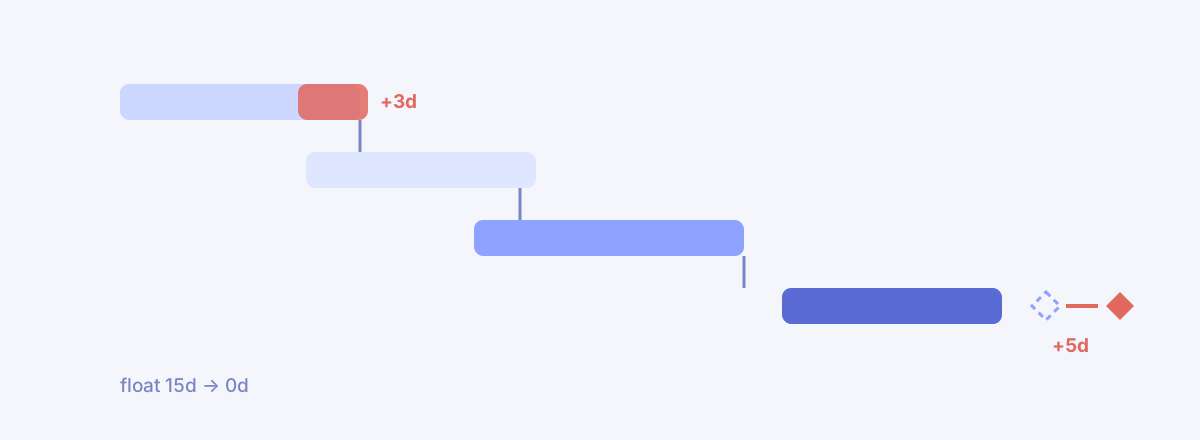 If One Task Slips Three Days, How Late Is the Project?We fed in +3 days and CPM recomputed the chain — zero delay at first, until a missing line surfaced. Fill it in, and the critical path moved house.03
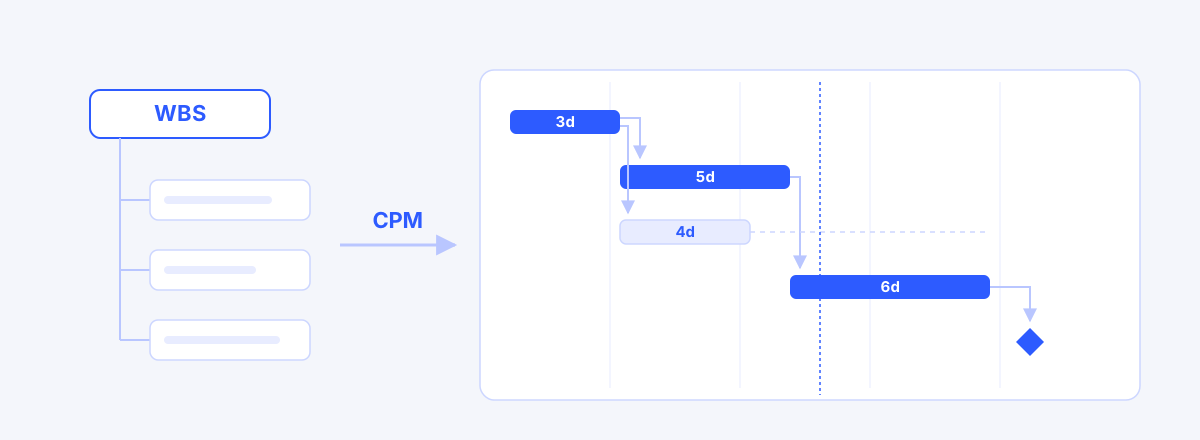 How to Make a Gantt Chart: From WBS to a Working ScheduleA Gantt chart is computed, not drawn — five steps from WBS through durations, dependencies, CPM and a baseline, plus where Excel Gantt charts fall apart.